Same Spot, Same Angle, Every Visit: Repeat Photography for Projects

A lot of progress photos are taken the same way: someone walks the site, points a phone at whatever looks important, and moves on. After ten visits, there are hundreds of images and no clean way to compare one week to the next.
The fix is old and simple. Stand in the same place, point the same direction, and take the same picture every time. That is repeat photography, and it turns a pile of photos into a record.
Borrow from the land managers
Land managers have used repeat photography for a long time. The USDA Forest Service's Photo point monitoring handbook, written by Frederick C. Hall and published in 2002, describes quick, effective methods for documenting change in vegetation and soil through repeat photography.
The handbook names three critical elements:
Maps to find the sampling location and maps of the photo monitoring layout.
Documentation of the monitoring system, including purpose, camera, weather, season, sampling system, and equipment.
Precise replication in the repeat photography.
Swap "vegetation" for "foundation," "framing," or "roof," and the same three elements work on a construction site or a long-term asset.
Set up photo points on the first visit
The first visit sets the template for every visit after it.
Pick fixed points. Choose spots that will still exist when the project is done: a property corner, a power pole, a fence post, a survey pin.
Mark them. Paint, a stake, or a GPS coordinate. Write down the distance and direction from a permanent object.
Record the direction. Note the compass bearing for each photo.
Record the framing. Lens or zoom setting, camera height, and what should be in the edges of the frame.
Make a map. A simple site sketch or aerial image with each point numbered.
Five to ten good points beat fifty random ones.
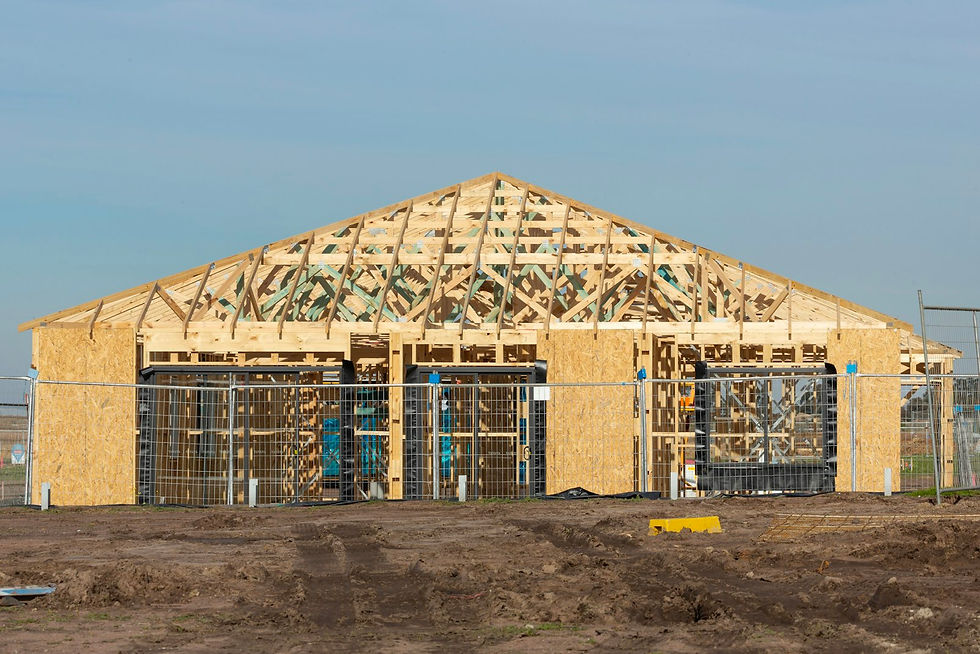
Keep timing consistent
Light changes how a site looks. A wall photographed in morning shade and again in afternoon sun can look like two different walls.
Try to visit at about the same time of day. The NOAA Solar Calculator can tell you sunrise, sunset, solar noon, and the sun's position for a location, which helps you pick a time when the main elevations are lit the way you want. Over a long project, the sun's position shifts with the seasons, so expect some change and note it.
Let the metadata do the dating
Every photo should carry its capture date and time. Digital cameras write this into the file using the Exif format. The Library of Congress format description notes that Exif stores metadata, including tags for camera settings, inside the image file.
Two habits protect that information:
Set the camera's clock correctly before the first visit.
Keep original files. Some apps and exports strip metadata.
Then name files so they sort cleanly: date first, then point number. 2026-10-07_P03.jpg sits right next to 2026-11-04_P03.jpg.
Add the overhead view
Ground photo points show detail. An overhead image shows the whole site at once: where materials are staged, how far grading has progressed, whether erosion controls are in place. A consistent aerial view, taken from the same position and height each visit, is one of the fastest ways to show change across a large site.
On larger Tennessee construction sites, that view can also be useful context alongside stormwater obligations. TDEC's construction stormwater permit page explains that coverage applies to sites disturbing one or more acres, or less if part of a larger common plan of development, and requires a site-specific Stormwater Pollution Prevention Plan.
Deliver comparisons, not just folders
The value of repeat photography shows up when images sit side by side. For each visit, a useful deliverable includes:
The photo point map.
Each point's new image next to the previous one, or the first.
A short note on what changed.
The full set of original files, dated.
Practical takeaways
Set fixed, marked photo points on the first visit and map them.
Record direction, framing, and camera height for each point.
Visit at a similar time of day when possible.
Keep original files with their capture dates intact.
Deliver side-by-side comparisons, not just a folder of images.
If you have a build, renovation, or long-term asset that needs a consistent progress record, contact 48 Pegasus, serving properties within 75 miles of Macon County, Tennessee, across Middle Tennessee and South Central Kentucky.
Sources
Photo point monitoring handbook—Part A: Field procedures; Part B: Concepts and analysis (PNW-GTR-526) — USDA Forest Service, Pacific Northwest Research Station — https://www.fs.usda.gov/research/treesearch/3255
NOAA Solar Calculator — NOAA Global Monitoring Laboratory — https://gml.noaa.gov/grad/solcalc/
Exif Exchangeable Image File Format, Version 2.2 — Library of Congress, Sustainability of Digital Formats — https://www.loc.gov/preservation/digital/formats/fdd/fdd000146.shtml
NPDES Stormwater Construction Permit — Tennessee Department of Environment and Conservation — https://www.tn.gov/environment/permits/water/npdes-permits1/npdes-stormwater-permitting-program/npdes-stormwater-construction-permit.html
Photos: cover by Jacek Dylag / Unsplash; inline by Troy Mortier / Unsplash. Free to use under the Unsplash License.
Comments